
Settings
The dbLinter settings in SonarQube have a global scope and a project scope. This means that global settings can be overridden at project level via the SonarQube web interface and via property file or paramters for SonarScanner runs.
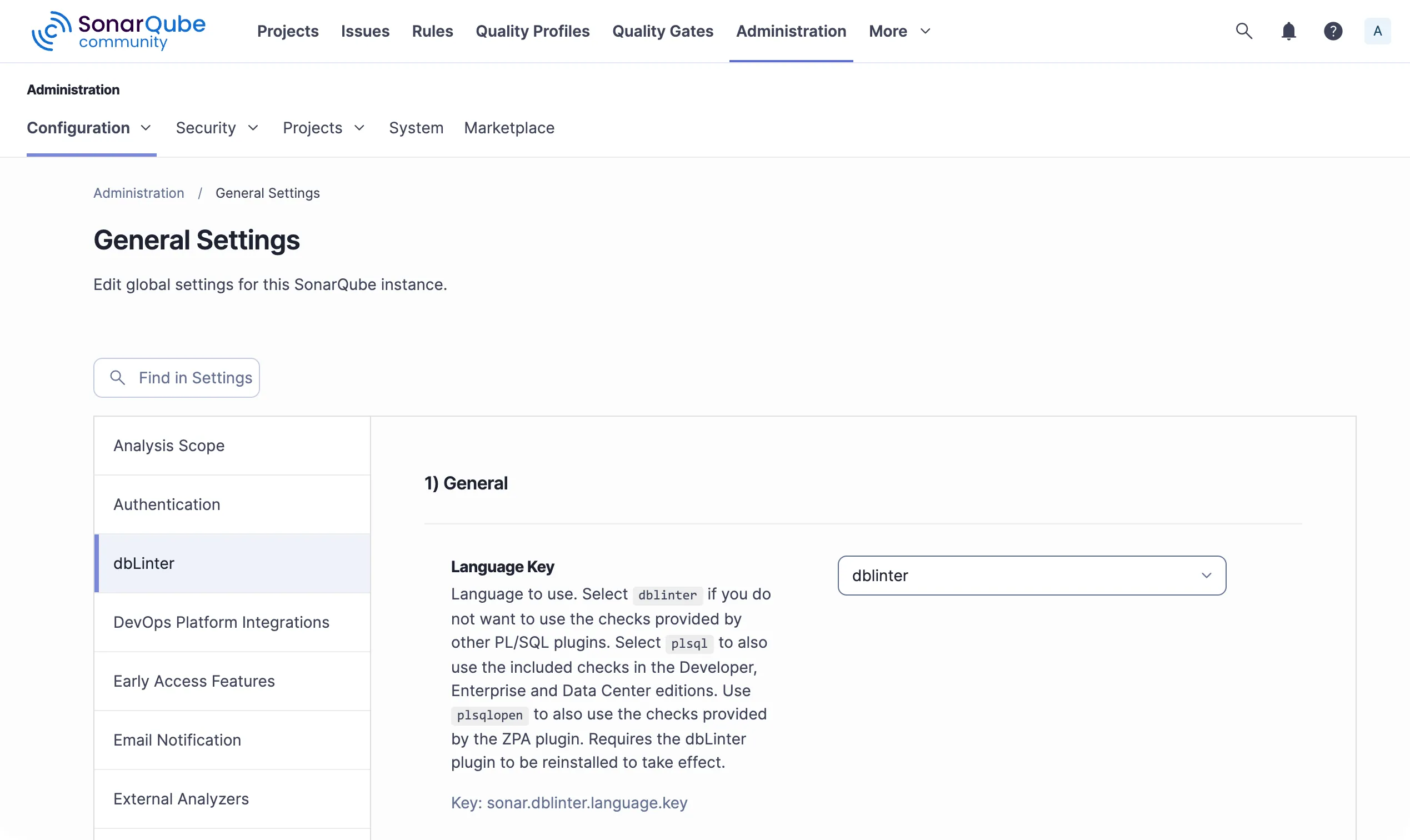
Administration -> Configuration -> General Settings -> dbLinter
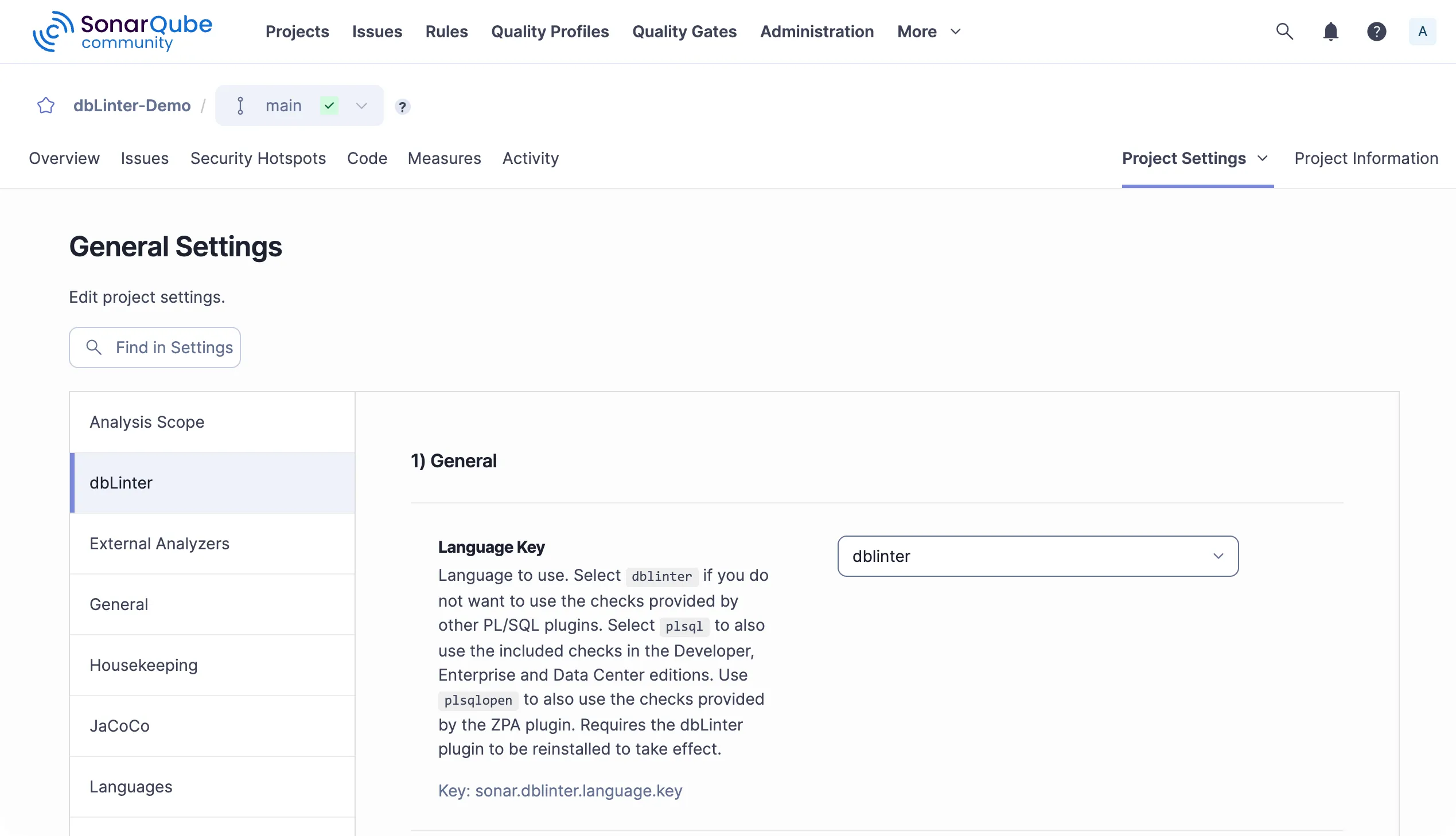
Projects -> “Project” -> Project Settings -> General Settings -> dbLinter
Example in sonar-project.properties to override global/project setting:
sonar.dblinter.access.token=IGsLxJQLnfZPFAkbMCaJntBjIaKtmYSOjnYiRTIlfYJYRggZgGExample as parameter of sonar-scanner call to override global/project/property file setting:
-Dsonar.dblinter.access.token=IGsLxJQLnfZPFAkbMCaJntBjIaKtmYSOjnYiRTIlfYJYRggZgG1) General
Section titled “1) General”-
Language Key
sonar.dblinter.language.key
Language to use.- Select
dblinterif you do not want to use the checks provided by other PL/SQL plugins. In other words, use dbLinter as primary plugin. - Select
plsqlto also use the included checks in the Developer, Enterprise and Data Center editions. - Use
plsqlopento also use the checks provided by the ZPA plugin.
Requires the dbLinter plugin to be reinstalled to take effect.
- Select
-
File Suffixes
sonar.dblinter.file.suffixes
List of file suffixes containing code to be analysed with dbLinter. These file extensions are only relevant for thedblinterlanguage key. Set the file suffixes for other languages in the associated plugins. This filter is applied before the include and exclude file patterns of a configuration. Use a comma separated list when defined as property or parameter.
2) Remote Access
Section titled “2) Remote Access”-
Repo URL
sonar.dblinter.repo.url
This is the URL of the dbLinter REST API. The default is https://api.dblinter.app/. You only need to set this URL when developing and testing custom rules. -
Tenant Name
sonar.dblinter.tenant.name
dbLinter tenant for authentication. SonarScanner uses this for checks, while the SonarQube server uses it to register all applicable rules when the plugin is installed. -
User Name
sonar.dblinter.user.name
dbLinter user (e-mail address) for authentication. SonarScanner uses this for checks, while the SonarQube server uses it to register all applicable rules when the plugin is installed. -
Access Token
sonar.dblinter.access.token
dbLinter access token for authentication. SonarScanner uses this for checks, while the SonarQube server uses it to register all applicable rules when the plugin is installed. -
Config Name
sonar.dblinter.config.name
Name of the dbLinter configuration for checks. SonarScanner uses this for checks. This configuration determines which rules are enabled and, consequently, checked. Therefore, you should ensure that all rules are enabled in the active quality profiles.
3) Read-only DB Access
Section titled “3) Read-only DB Access”Read-only access is recommended to achieve the best check results.
To enable read-only access, you will need to create a database user with the following permissions:
create user if not exists dbl_read identified by "(...)";grant connect to dbl_read;grant select any dictionary to dbl_read;-
JDBC URL
sonar.dblinter.conn.jdbc.url
Override JDBC URL for read-only database access within checks. E.g. jdbc:oracle:thin:@localhost:1521/FREEPDB1 or jdbc:postgresql://localhost:5432/postgres. The default is configured in the dbLinter repository. -
Username
sonar.dblinter.conn.user.name
Override username for read-only database access within checks. The default is configured in the dbLinter repository. -
Password
sonar.dblinter.conn.password
Override connection password for read-only database access within checks. The default is configured in the dbLinter repository.
4) Language Server
Section titled “4) Language Server”-
Parallel Files
sonar.dblinter.ls.parallel.files
Number of files analysed in parallel when using the command line interface. The default is 1. To achieve better performance with higher values, you need enough free system resources. -
Clear Cache Threshold
sonar.dblinter.ls.clear.cache.threshold
Memory threshold in megabytes. This clears the ANTLR caches once the heap size used by the language server exceeds the threshold. This frees memory, but subsequent parsing is slower. Set the threshold to a value below zero to keep the cache. Leave empty for default behaviour. -
Log Format
sonar.dblinter.ls.log.format
Log format for log messages. Log messages from the language server will only be displayed if thesonar.log.levelproperty is set toDEBUGorTRACE.