
SQL-based Tests
Compliance with the rules in the dbLinter repository can be verified using checks, SQL-based tests, or both. In a SQL-based test, an SQL query is run against a non-production database via a configured read-only connection. The returned rows are treated as violations of the rule. Optionally, each result row may contain a migration script to fix the violation.
Prerequisites
Section titled “Prerequisites”In order to run SQL-based tests, you must first configure read-only access.
Applicability
Section titled “Applicability”Whether a SQL-based test is shown in the VS Code extension depends on the following:
- Is the rule enabled in the configuration?
- Is the test compatible with the connected DBMS?
- Does the database version fall within the minimal and maximal ranges defined for test?
The SQL-based test is only considered applicable if all questions can be answered with ‘yes’.
Activation
Section titled “Activation”The applicable SQL-based tests are determined either when you run a check or when you open the dbLinter view container.
Clicking on the dbLinter symbol

in the activity bar opens the dbLinter view container. SQL-BASED TESTS is the first view in this container.
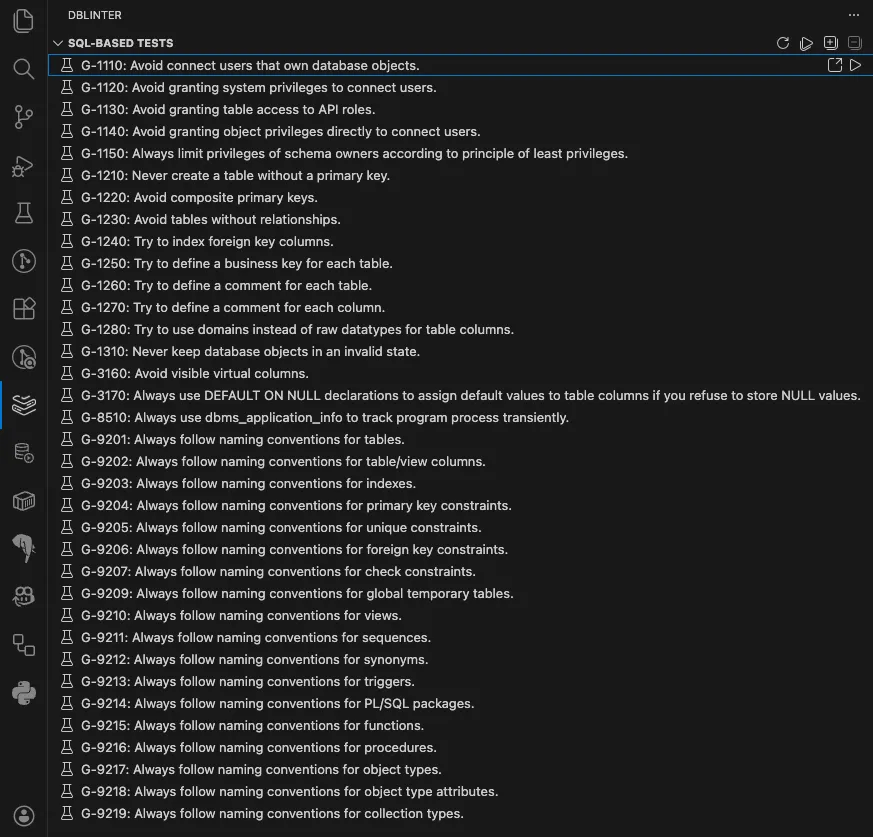
Run Tests
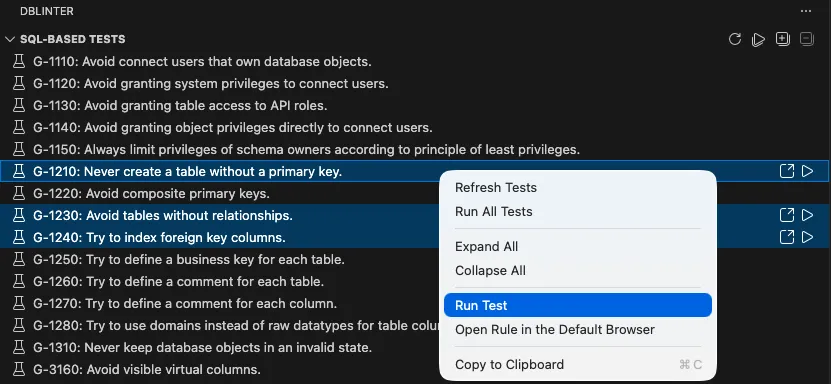
Section titled “Run Tests”To run all tests, right-click anywhere in the view and select Run All Tests.
To run selected tests, right-click on one of the selected tests and select the Run Test option.
Alternatively, click the run button to the right of each test.
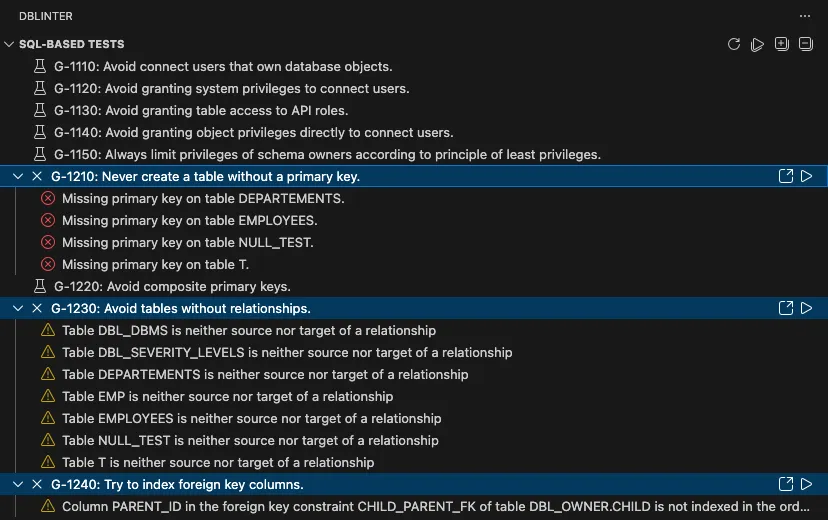
The found rule violations are visualised as children in the tree.
Ignore Test Results
Section titled “Ignore Test Results”If you are unable to resolve a rule violation reported by an SQL-based test, or if you choose not to, you can ignore selected test results. This ensures that the rule violations will not appear in subsequent test runs.
To perform this action, your access token must have either the Configurator or Tenant-Admin role.
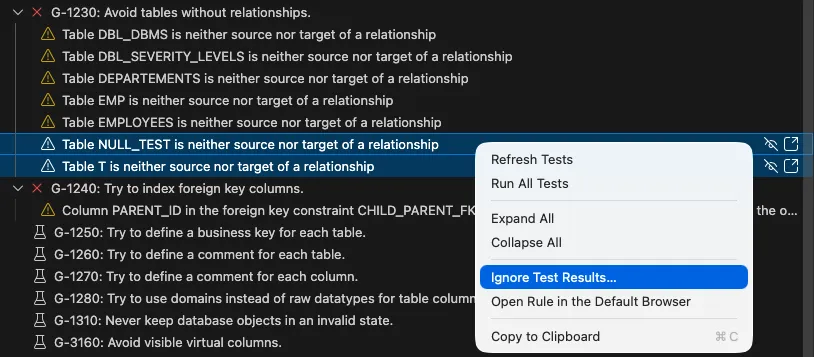
After selecting the test results to be ignored, you must provide a reason why these results should be excluded from future runs.

You can manage the test results to be ignored in the Web GUI.
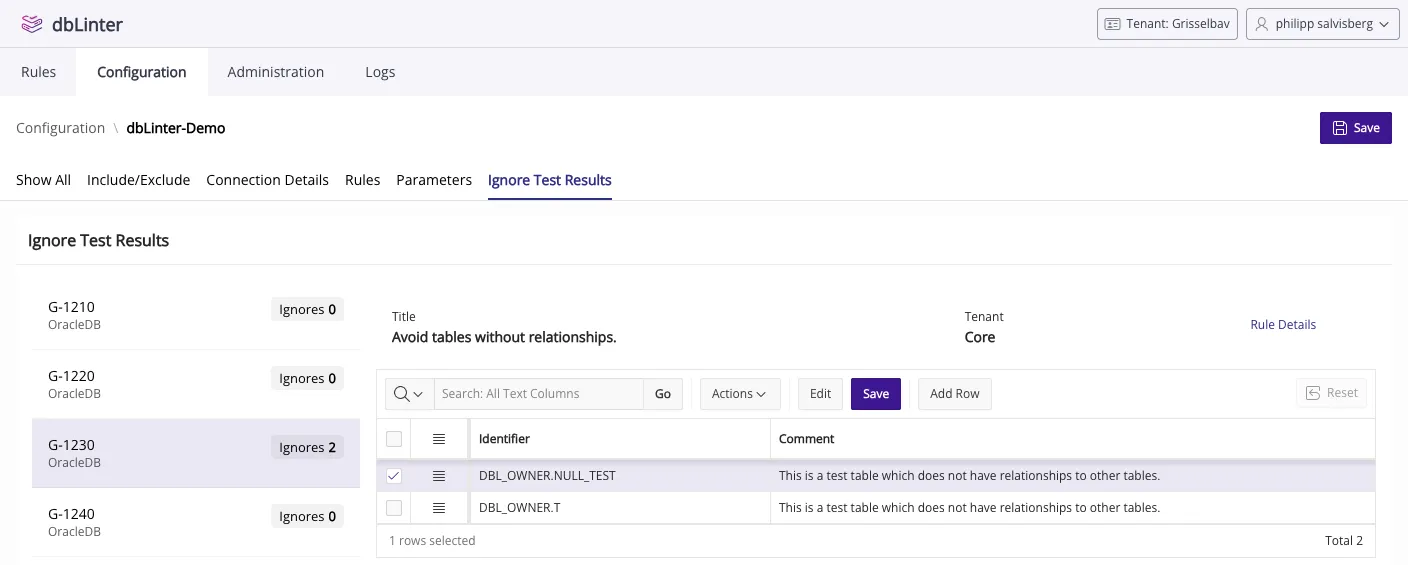
Migration Scripts
Section titled “Migration Scripts”If the SQL-based test produces a migration script, you can show it in a new editor tab.
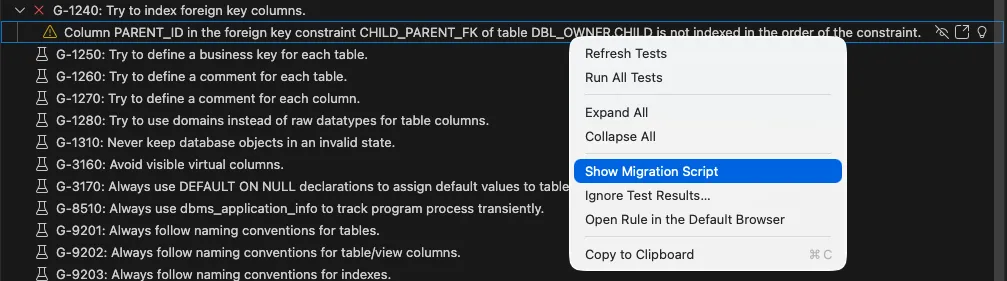
The following migration script is shown in this case:

The SQL-based test for G-1240: Try to index foreign key columns uses the IF NOT EXISTS clause only if applicable to the used database version.